How to Read an Electrical Diagram
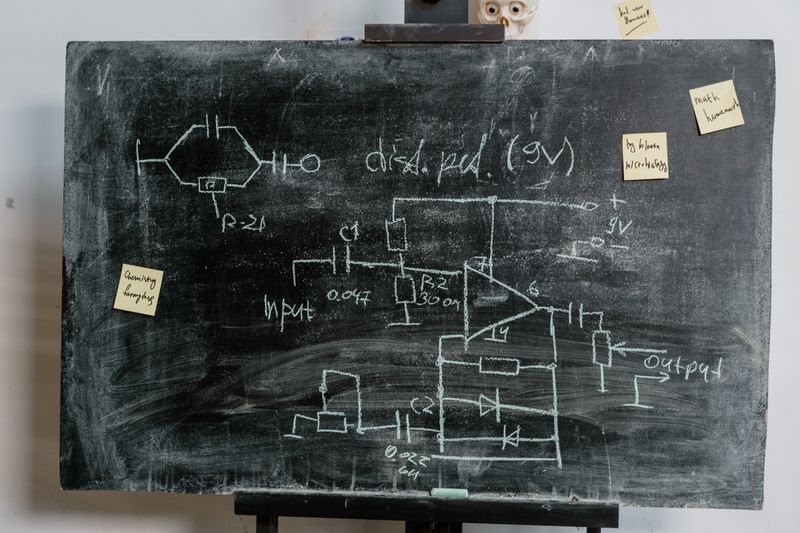
Electrical diagrams are the language electricians use to plan, install, and troubleshoot systems. Whether you’re following a blueprint on a job site, reading a wiring diagram for an appliance repair, or interpreting a manufacturer’s schematic, knowing how to read these drawings is a fundamental skill. This guide breaks down the four most common diagram types and the symbols you’ll encounter in each.
Types of Electrical Diagrams
1. Schematic Diagrams (Circuit Schematics)
Schematic diagrams show the electrical connections between components using standardized symbols. They show how a circuit functions, not how it’s physically laid out. Wires are drawn as straight lines, components as symbols, and the overall goal is clarity of the circuit’s logic.
Schematics are used for:
- Appliance and equipment troubleshooting
- Electronic control circuits
- Understanding relay and contactor logic
- Designing circuits before building them
2. Wiring Diagrams
Wiring diagrams show the actual physical wiring of a system — which terminals connect to which terminals. They look more like the real-world installation than a schematic does.
Wiring diagrams are used for:
- HVAC equipment installation and troubleshooting
- Appliance wiring and repair
- Automotive electrical
- Understanding factory-wired equipment
3. One-Line (Single-Line) Diagrams
A one-line diagram represents a complete electrical distribution system using a single line for a three-phase power path. It shows the hierarchy from utility service through transformers, panels, and circuit breakers to loads — but simplifies three-phase conductors into one line.
One-line diagrams are used for:
- Commercial and industrial electrical systems
- Service and feeder documentation
- Understanding how a facility’s power flows
- Coordination studies
For residential work, a simple one-line diagram might show the utility service → meter → main panel → subpanels → major loads.
4. Panel Schedules
A panel schedule is a table that lists every circuit in a distribution panel: the circuit number, breaker size, load description, and often the calculated load in amps or volt-amps.
Panel schedules are used for:
- Building permits and inspections
- Load calculations and balancing
- Troubleshooting unfamiliar panels
- Facility management
Common Electrical Schematic Symbols
Learning these symbols lets you read any schematic:
Power Sources and Supplies
- Battery: Two unequal parallel lines (longer = positive terminal)
- AC voltage source: Circle with a sine wave inside
- DC voltage source: Circle with ”+” and ”−”
- Ground: Series of horizontal lines, each shorter than the one above
Conductors and Connections
- Connected wires: Wires that intersect with a dot at the intersection are connected
- Crossing wires (not connected): Wires that cross without a dot are not connected (some diagrams use a “hop” or bridge at the crossing to make this clear)
- Terminal/test point: Small circle on a wire
Switches
- Single-pole switch (SPST): A line with a gap and a rotating arm
- Double-pole switch (DPST): Two SPST symbols linked together
- Single-pole double-throw (SPDT): One input, two possible outputs — the 3-way switch equivalent
- Normally open (NO) contacts: Open gap between terminals
- Normally closed (NC) contacts: Closed connection between terminals (used in relay and contactor diagrams)
Loads
- Resistor: Zigzag line (US standard) or rectangle (IEC standard)
- Capacitor: Two parallel lines (one may be curved for polarized capacitors)
- Inductor/coil: Series of loops or humps
- Lamp/light: Circle with an X inside
- Motor: Circle with an M inside
- Transformer: Two coil symbols facing each other (sometimes with a line between for iron core)
- Fuse: Rectangle or a small loop with open ends
- Circuit breaker: Switch symbol with a diagonal arrow or “thermal-magnetic” indicator
Control and Sensing Devices
- Relay coil: Rectangle or circle with “K” designation
- Relay contacts: NO or NC contacts labeled with the same designation as their coil (K1, K2, etc.)
- Contactor: Heavy-duty relay — same symbology, larger
- Thermostat contacts: Switch symbol with a temperature indicator
- Pressure switch: Switch symbol with a pressure indicator
- Limit switch: Switch symbol with a mechanical actuator
Reading a Residential Wiring Diagram
Residential wiring diagrams for appliances follow a consistent convention:
- Black wires: Hot (line) conductors
- White wires: Neutral conductors
- Green or bare: Ground conductors
- Red wires: Second hot (in 240V systems) or switched hot in multi-wire circuits
- Dashed lines: Often represent wiring that is not part of the illustrated circuit but is shown for reference
Example: Reading a Dryer Wiring Diagram
A typical 4-wire electric dryer diagram shows:
- Two hot terminals (L1 and L2) from the 30A, 240V circuit
- One neutral terminal for the 120V circuit powering the timer and controls
- One ground terminal
- Internal wiring showing the heating element (240V, connected to L1 and L2), the drive motor (120V, connected to L1 and neutral), and the timer motor (120V)
- A thermal fuse in series with the heating circuit — a safety device that opens permanently if the dryer overheats
Reading this diagram, you can see exactly why a dryer that runs but doesn’t heat typically has a blown thermal fuse or a failed L2 connection (the heating element needs both hot legs).
Reading a One-Line Diagram
For commercial work, one-line diagrams use standard conventions:
- Utility transformer: Symbol shows primary and secondary windings
- Main breaker: Rectangle with diagonal marks (trip symbol)
- Bus bars: Heavy horizontal or vertical lines
- Feeders: Lines dropping from bus bars to downstream equipment
- Breaker/panel symbols: Rectangles with ratings labeled (e.g., “100A/3P” for 100-amp, three-pole)
- Motor loads: Circle with M; kW rating labeled
- Lighting panels: “LP” designation with circuit count
A one-line for a commercial building reads from top to bottom: utility service → main switchgear → distribution panels → branch panels → loads.
Reading a Panel Schedule
A panel schedule table has these columns:
| Circuit # | Breaker Size | Load Description | Load (VA) | Phase |
|---|---|---|---|---|
| 1 | 20A | Kitchen counter outlets | 1,500 | A |
| 2 | 20A | Kitchen counter outlets | 1,500 | B |
| 3 | 15A | Kitchen lighting | 600 | A |
| 5/7 | 30A 2P | Electric dryer | 5,000 | A/B |
Reading a panel schedule tells you:
- How circuits are balanced across phases (A and B legs)
- What each circuit serves
- How much load each breaker is expected to carry
- Which breakers are double-pole (spanning two rows)
Odd numbers are typically A-phase, even numbers B-phase — with double-pole breakers taking two consecutive numbers.
Tips for Reading Unfamiliar Diagrams
- Read the legend first: Every professional drawing has a symbol legend — review it before interpreting the diagram
- Follow the flow: In schematics, follow current flow from the power source through the circuit to the load
- Find the ground reference: Understanding where ground connects helps interpret the rest of the circuit
- Compare wiring diagram to schematic: For complex equipment, use both — the schematic shows logic, the wiring diagram shows connections
- Look for dashed lines: In many diagrams, dashed lines represent wiring external to the device or optional connections
Electrical diagrams are not intimidating once you know the symbols and conventions. Start with the simplest diagrams — a single switch circuit — and work up to multi-component schematics. Every hour you spend reading diagrams makes the next one faster to interpret.
See Also
- Wiring a 3-way switch — putting diagram-reading into practice: the 3-way switch circuit is one of the most commonly diagrammed residential wiring scenarios
- Subpanel installation basics — subpanel work often involves one-line diagrams and panel schedules; this guide will make more sense after understanding how to read them
- NEC code basics — the NEC references diagrams and panel schedules throughout; understanding both together makes code compliance much easier to apply

Amperage HQ Editorial Team
Independent trade-focused editorial team