Ceiling Fan Wiring: Installation and Troubleshooting
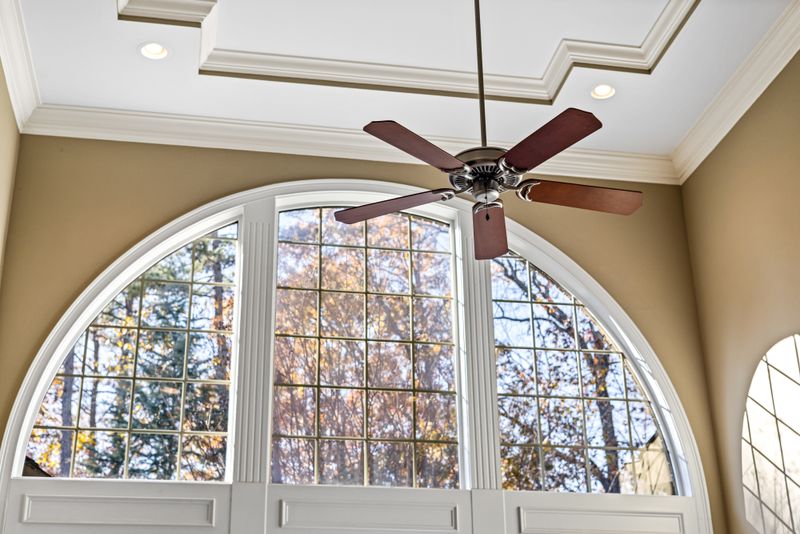
Installing a ceiling fan is one of the most popular DIY electrical projects — and one that’s frequently done wrong. The tricky part isn’t the fan itself, it’s understanding what you have in the ceiling box and what options that gives you for controlling the fan and light separately. This guide covers every common wiring scenario.
Before You Start: Check Your Ceiling Box
Ceiling fans are heavy and vibrate. A standard light fixture box is not rated to support a fan. Before installing any ceiling fan:
- Verify the box is fan-rated: Look for a label that says “Acceptable for Fan Support” or similar. Most blue round plastic boxes are NOT fan-rated. Fan-rated boxes are braced boxes (pancake boxes bolted to a brace bar or ceiling joist) that can support 35–50 lbs of dynamic load.
- If in doubt, replace the box: Fan-rated retrofit brace kits (like the Westinghouse Saf-T-Brace) expand between joists and don’t require attic access. Installing a fan in an unrated box risks the fan falling from the ceiling — a serious hazard.
Understanding What’s in the Ceiling
What wires exist in your ceiling box determines your control options:
Scenario A: One Cable (14/2 or 12/2) — Single Switch Control
You have black, white, and bare conductors. This is a basic switched circuit. With this setup, you can control the fan and light together with one switch. You cannot independently control the fan speed and light without adding a new wire or using a remote control kit.
Scenario B: Two Cables — Separate Fan and Light Switches
You have two sets of conductors coming into the fan box. This is ideal — it means the electrician ran a 14/3 or 12/3 cable, giving you a separate switched hot for the fan motor and the light kit. You can use two wall switches: one for the fan, one for the light.
Scenario C: Remote Control or Receiver
If your ceiling box has only one cable (Scenario A) and you want separate fan and light control, a remote control receiver kit solves this without rewiring. The receiver mounts inside the fan canopy, intercepts the single power line, and provides two outputs (fan motor and light kit) controlled by a handheld remote.
Wiring a Ceiling Fan: Step-by-Step
Tools and Materials
- Non-contact voltage tester
- Flathead and Phillips screwdrivers
- Wire stripper
- Needle-nose pliers
- Wire nuts
- Fan-rated ceiling box (if replacing existing)
- Ceiling fan with mounting hardware
Step 1: Turn Off Power
Turn off the circuit breaker for the room. Verify the ceiling box is dead with a non-contact voltage tester. Also verify the wall switch is off — but don’t trust the switch alone without testing at the box.
Step 2: Remove the Old Fixture
If you’re replacing a light fixture, remove the canopy cover, disconnect the wire nuts, and lower the fixture. The mounting bracket may or may not be reusable for the fan — most fan kits include their own bracket. Verify the box is fan-rated before proceeding.
Step 3: Install the Mounting Bracket
Attach the fan’s mounting bracket to the ceiling box per the manufacturer’s instructions. Most modern fans use a “ball and socket” or “j-hook” mount that allows the fan to swing slightly during installation before locking in place.
Step 4: Connect the Fan Wiring
The wires coming from the fan are typically:
- Black: Fan motor hot
- Blue: Light kit hot
- White: Neutral (shared by both motor and light)
- Green or bare: Ground
With One Cable (Scenario A — Single Switch)
Connect fan black AND blue (both) to the switched black from the ceiling. Connect whites together. Connect grounds together. The fan and light will operate together from one switch.
With Two Cables (Scenario B — Separate Switches)
- Fan motor black → switched black wire dedicated to fan (from fan wall switch)
- Light kit blue → switched black wire dedicated to light (from light wall switch)
- Both whites → neutral
- Grounds together
Verify which switch controls which wire before connecting. The wire from the wall switch connected to the fan speed control goes to the fan motor; the other goes to the light.
Step 5: Hang the Fan Canopy
Fold the wires into the box and canopy neatly. Hang the canopy per the manufacturer’s instructions, tightening the canopy screws evenly. Attach the fan blades to the blade brackets and mount to the motor housing.
Step 6: Install the Light Kit (If Included)
Ceiling fan light kits typically use a connector plug or wire leads that connect to matching leads from the fan motor housing. Connect per the manufacturer’s instructions, then mount the light kit.
Step 7: Restore Power and Test
Restore power. Test the pull chains (if equipped) or wall switches. Verify the fan operates on all speeds and the light switches independently.
Wiring the Wall Switches
Single Switch (Scenario A)
No special switch needed — a standard single-pole switch works. A fan speed control dimmer is NOT appropriate for ceiling fans (motor speed controllers, not dimmers, are required; using a standard dimmer can damage the motor).
Dual Switch (Scenario B)
Two standard single-pole switches work fine — one for the fan, one for the light. If you want fan speed control at the wall, use a fan speed controller (not a light dimmer) for the fan switch. Many combo fan/light switch units include both in a single gang.
Smart Switches for Ceiling Fans
Smart ceiling fan control requires either:
- A smart fan control switch at the wall that communicates with the fan
- A smart receiver kit inside the fan canopy
Many popular smart fan systems (Lutron Caseta Fan Speed Control, Leviton Decora Smart Fan Control) require a neutral wire at the switch box. If your switch box has no neutral, consider a remote receiver approach instead.
Troubleshooting Common Ceiling Fan Problems
Fan Wobbles or Vibrates
- Blades not balanced — use a blade balancing kit (comes with most fans)
- Blade brackets bent or at different angles — inspect each one
- Loose mounting bracket or canopy screws
Fan Hums
- Speed control switch is a light dimmer, not a fan speed controller — replace the switch
- Fan is on a circuit with certain types of AFCI breakers — compatibility issue; try a different fan or breaker
Fan Works But Light Doesn’t (or Vice Versa)
- Likely a loose or disconnected wire — re-examine the connections at the canopy
- Check the light kit’s internal connector/plug
Breaker Trips When Fan Starts
- Motor starting current exceeds breaker capacity — unlikely on a residential circuit unless the breaker is already near capacity
- Wiring fault — inspect connections
A well-wired ceiling fan adds both comfort and energy efficiency to any room. The key is matching your wire configuration to the right control strategy from the start.
See Also
- Wiring a 3-way switch — if you want to control your fan from two locations, understanding 3-way wiring is the prerequisite
- Smart switch installation — smart fan controls can replace wall switches and add scheduling and voice control; this guide covers neutral wire requirements and ecosystem choices
- How to wire a standard outlet — build your wiring fundamentals with this guide to basic receptacle work before tackling fan installations

Amperage HQ Editorial Team
Independent trade-focused editorial team