Smart Switch Installation: A Step-by-Step Guide
Quick answer
A smart switch installation depends on neutral availability, box fill, load type, multi-way wiring, and whether the switch supports the fixture. Do not assume every smart switch can replace every wall switch.
Common questions
- Why do many smart switches need a neutral?
- The switch needs a small amount of power for its electronics even when the light is off. Without a neutral, only certain models and wiring setups are compatible.
- What should be checked before replacing a 3-way switch?
- Identify line, load, travelers, neutral, and ground before disconnecting anything. Multi-way smart-switch setups often require matched companion switches or specific wiring layouts.
Source note: Reviewed July 2026 against the article guidance and common residential electrical safety practice; local code, permits, and a licensed electrician should control final wiring work.
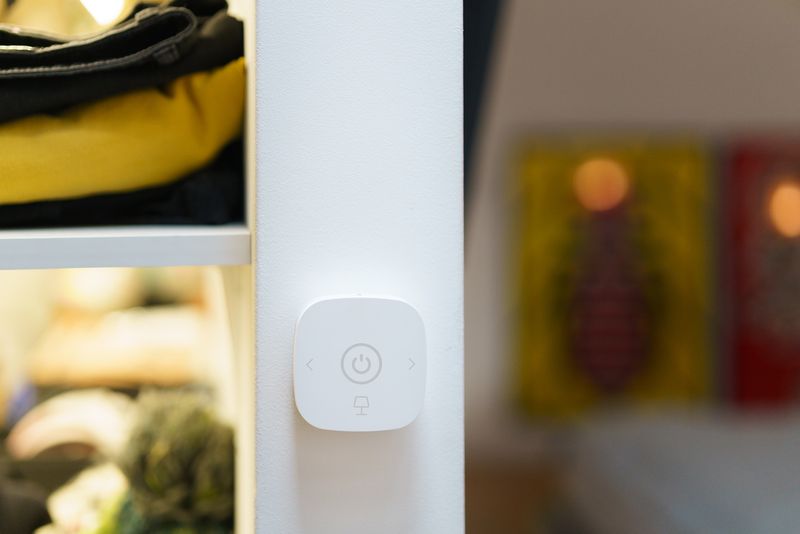
Smart switches let you control your lights with voice commands, apps, schedules, and automations — without replacing your existing light bulbs. They install in the wall switch box and look nearly identical to standard switches. The catch is that most require a neutral wire, which older homes may not have at the switch box. This guide covers everything you need to know to install one correctly.
Do You Have a Neutral Wire?
This is the first question to answer before buying any smart switch. A neutral wire is a white wire connected to the switch box that returns to the panel’s neutral bar. It allows the smart switch to power its electronics without running current through the light bulb.
How to check:
- Turn off the circuit breaker for the switch
- Remove the switch cover plate and gently pull the switch from the box
- Look for a white wire connected to the switch — if present, you have a neutral
- Look for a bundle of white wires capped off with a wire nut in the back of the box — these are neutral wires not connected to the switch; this is what you need
If you see only two wires connected to the switch (typically black and white), you may have a switch loop — a wiring configuration where the “neutral” wire is actually the switched hot and is not a true neutral. In a switch loop, the white wire should be re-identified with black tape (though many older installations were not marked this way).
Smart Switches That Don’t Require Neutral
If your switch boxes don’t have neutrals, you have two options:
- Lutron Caseta switches: Use a proprietary protocol and require a Lutron Smart Bridge, but are designed to work without a neutral wire. Highly reliable.
- Leviton No-Neutral dimmer: Available for single-pole configurations
- Run a neutral: Possible in some situations where the switch box is accessible and a nearby junction box or outlet has a neutral that can be extended
No-neutral smart switches work by using the light bulb itself as a return path. This requires a minimum load — very low-wattage LED setups may cause flickering or unreliable operation.
Choosing a Smart Switch Ecosystem
Before buying, decide on an ecosystem:
| Ecosystem | Protocol | Hub Required | Voice Assistants | Neutral Required |
|---|---|---|---|---|
| Lutron Caseta | Proprietary (Clear Connect) | Yes (Smart Bridge) | Alexa, Google, HomeKit | No (most models) |
| Leviton Decora Smart | Z-Wave or Wi-Fi | Z-Wave: yes | Alexa, Google, HomeKit | Yes (most) |
| GE Cync | Z-Wave or Wi-Fi | Z-Wave: yes | Alexa, Google | Yes |
| TP-Link Kasa | Wi-Fi | No | Alexa, Google | Yes |
| Zooz Z-Wave | Z-Wave | Yes | Depends on hub | Yes |
Z-Wave and Zigbee switches require a compatible hub (SmartThings, Home Assistant, Hubitat, etc.) but offer local control and strong mesh networking for reliable performance.
Wi-Fi switches require no hub but use your home Wi-Fi and typically depend on cloud servers for app control — a router outage or company cloud issue can disrupt control.
Tools and Materials
- Non-contact voltage tester
- Flathead and Phillips screwdrivers
- Smart switch (compatible with your box configuration)
- Wire nuts (if not included)
- Voltage tester or multimeter
Single-Pole Smart Switch Installation
A single-pole installation is the simplest case: one switch controlling one light from one location.
Step 1: Turn Off Power and Verify
Turn off the circuit breaker. Verify with a non-contact tester that the switch box is dead.
Step 2: Document and Remove the Old Switch
Take a photo of the existing switch wiring. Remove the cover plate and mounting screws. Pull the switch from the box. Identify each wire:
- Hot (line): The always-on wire bringing power from the panel — typically black, connected to one terminal of the switch
- Switched hot (load): The wire carrying power to the fixture when the switch is on — typically black (or white re-identified with tape), connected to the other terminal
- Neutral (if present): White wire in a bundle in the back of the box, not connected to the switch
- Ground: Bare copper or green, connected to the switch’s ground screw
Step 3: Connect the Smart Switch
Smart switches label their terminals clearly — LINE, LOAD, NEUTRAL, and GROUND. Connect:
- LINE terminal: The incoming hot wire (black wire from panel)
- LOAD terminal: The switched hot wire going to the fixture
- NEUTRAL: Connect the white wire from the neutral bundle with the provided wire nut or the switch’s neutral terminal
- GROUND: Bare or green wire
Most smart switches use screw terminals with pigtail leads or push-in connectors. Follow the manufacturer’s wiring diagram exactly.
Step 4: Mount and Test
Tuck wires neatly into the box. Mount the smart switch with the provided screws. Attach the cover plate. Restore power. Follow the manufacturer’s app pairing instructions.
3-Way Smart Switch Installation
Replacing a 3-way switch pair (two switches controlling one light) with smart switches requires a specific approach that varies significantly by brand.
Lutron Caseta 3-Way
Lutron uses a “smart switch + Pico remote” approach:
- Replace one switch in the pair with a Caseta dimmer or switch (in the box that has a neutral, or either box if no-neutral)
- Mount the Pico remote in the second switch location using a wall plate adapter
- The Pico communicates wirelessly — no traveler wires needed
This approach is the easiest for retrofit situations because it doesn’t require rethinking the 3-way wiring.
Leviton / GE / Zooz 3-Way
These brands use an “add-on switch” approach:
- Install the smart switch (the main unit with electronics) at one location
- Install the add-on switch (a dumb secondary switch that communicates with the main) at the other
- The add-on switch connects via the traveler wire — it replaces one of the 3-way switches and uses the traveler wires to communicate with the main smart switch
Wiring varies by brand. The most important things:
- Install the main smart switch at the box with the LINE (panel hot) wire
- The add-on switch goes at the other 3-way location
- Follow the brand’s wiring diagram for traveler and neutral connections
What to Do With Existing Traveler Wires
In the 3-way smart add-on configuration, only one traveler wire is typically used for communication. The other traveler wire may be capped off or re-used depending on the brand’s instructions. Do not deviate from the manufacturer’s wiring diagram — incorrect wiring can damage the switch electronics.
After Installation: Setup and Testing
- Pair the switch with its app or hub per manufacturer instructions
- Test manual operation first — the switch should work as a physical switch even before app setup
- Configure schedules, automations, and voice assistant integration in the app
- Test 3-way operation from both locations if applicable
- Label the circuit in your panel directory to note it has a smart switch (some AFCI breakers may trip with certain smart switch models — if this happens, check compatibility)
Compatibility Considerations
- LED bulbs and dimmers: Not all LED bulbs work with all smart dimmers. Check the dimmer’s published compatibility list and use dimmable LED bulbs
- AFCI breakers: Some smart switches can trigger AFCI nuisance trips due to their internal electronics. Check the switch manufacturer’s compatibility notes for your breaker brand
- CFL bulbs: Most smart dimmers are incompatible with CFL bulbs — switch to LEDs for best results
Smart switches are a meaningful home upgrade — they pay for themselves in energy savings (lights never left on accidentally), convenience (automations tied to sunrise/sunset or occupancy), and security (vacation lighting schedules). The key is matching the right product to what your wiring can support.
See Also
- Wiring a 3-way switch — before installing smart 3-way switches, understand how the existing traveler wires are configured; this guide explains every common scenario
- Ceiling fan wiring — smart fan controls are a related project; learn how ceiling fan wiring differs from standard switch wiring before adding smart control
- NEC code basics — the 2011 NEC neutral requirement in switch boxes (Article 404.2(C)) is exactly why smart switch installation is possible in modern homes; understand the code behind it
Keep smart controls tied to wiring limits and safe handoff
These resources connect smart switch work with low-voltage controls, thermostat compatibility, and electrician documentation.
- Smart thermostat wiring guide
Compare low-voltage HVAC control labels before changing smart-home wiring assumptions.
- Low-voltage wiring guide
Separate thermostat and signaling circuits from line-voltage switch work.
- Electrician handoff checklist
Document visible wiring, device labels, loads, photos, and stop conditions.

Amperage HQ Editorial Team
Independent trade-focused editorial team