Circuit breaker will not reset: Safe next steps
Quick answer
A tripped breaker usually must be moved firmly to OFF before it can return to ON. Make only one reset attempt after unplugging accessible loads and confirming there is no heat, odor, noise, water, or damage; if it will not latch or trips again, leave it off and call a qualified electrician.
Common questions
- Why is my breaker stuck in the middle?
- Many breakers move to a center or intermediate position when they trip. They normally must be pushed fully to OFF before they can be switched ON, but handle behavior varies by model.
- Does a breaker that will not reset need replacement?
- Not necessarily. A connected fault, fixed-wiring problem, overload, heat, incompatible installation, or failed breaker can all prevent a safe reset. Diagnosis should come before replacement.
Source note: Reset behavior checked in August 2026 against Schneider Electric breaker instructions. Handle positions and diagnostic features vary by product, so the panel label and exact breaker instructions control.
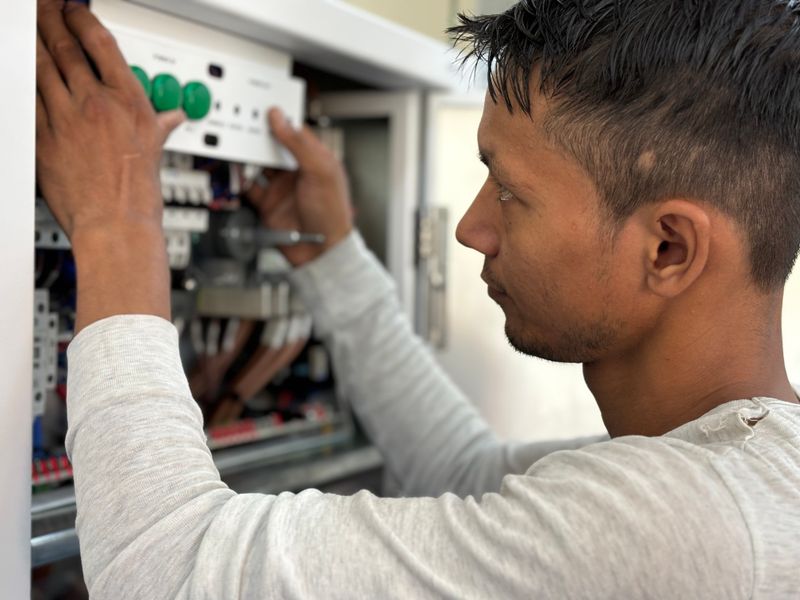
If a circuit breaker will not reset, do not force it or keep trying. A tripped handle may first need to move fully to OFF, but a breaker that refuses to latch or trips again can be responding to a continuing fault.
The safe homeowner-level check is limited: remove accessible plug-in loads, look and smell for danger signs, and make one deliberate reset attempt if conditions are normal. Panel covers, voltage testing, breaker substitution, and fixed-wiring diagnosis belong to a qualified electrician.
Stop before resetting when danger is present
Leave the breaker off and arrange urgent electrical service if you notice any of these conditions:
- Burning, hot-plastic, or fishy odor
- Smoke, sparks, crackling, buzzing, or sizzling
- Heat or discoloration at the panel, a receptacle, a switch, or connected equipment
- Water in or near the panel or affected equipment
- A loose, broken, scorched, or visibly damaged breaker handle
- An immediate repeat trip with accessible loads disconnected
- Evidence of fire, storm, flood, impact, or recent wiring damage
Move away and call emergency services for smoke, flame, or active arcing. Do not touch wet electrical equipment. If the panel itself is buzzing, hot, or damaged, follow the stop-work guidance in our electrical panel buzzing guide rather than operating it.
Why the handle may appear stuck
Many molded-case breakers have three practical states: ON, OFF, and TRIPPED. The tripped position can be subtle, especially when the handle stops only slightly away from the other handles.
Schneider Electric’s panelboard instructions describe moving a tripped handle to OFF before moving it to ON. That sequence is common, but it is not permission to use abnormal force or assume every product feels the same. Consult the panel directory, breaker markings, and manufacturer instructions for the exact equipment.
A breaker can also seem unwilling to reset because:
- The handle never reached the full OFF reset position
- A short circuit, ground fault, or arc fault is still present
- A connected appliance, cord, power strip, or fixture has failed
- Too much load remains connected
- The breaker or its connection has overheated or failed
- The installed breaker is not correct for the panel
- A linked two-pole or handle-tied arrangement is being operated incorrectly
The breaker types and replacement guide explains why physical fit alone does not establish compatibility.
One safe reset attempt
1. Identify what lost power
Use the panel directory and only visible observations. Note which rooms, receptacles, lights, or appliances stopped working and what was running just before the trip.
Do not remove the deadfront. Do not touch service conductors, bus bars, neutral bars, or branch wiring. If the directory is unreliable, document that for the electrician instead of guessing among unlabeled breakers.
2. Turn off or unplug accessible loads
Switch off lights and unplug cord-and-plug equipment on the affected circuit. Include heaters, window air conditioners, kitchen appliances, tools, power strips, chargers, and equipment that recently became wet or damaged.
Unplugging matters because a failed device can remain electrically connected even when its normal control is off. Do not move a suspect appliance to another circuit to “test” it.
3. Move the handle fully OFF
Only if the panel is dry, intact, cool, quiet, and free of odor, stand to the side and move the identified breaker deliberately to OFF. Use normal hand pressure. Stop if the handle is loose, cracked, unusually hot, mechanically jammed, or requires abnormal force.
4. Move it ON once
Move the handle to ON one time. If it will not latch, springs back, or trips immediately, return it to OFF and stop. Do not hold or restrain the handle in place; the breaker is a protective device, not a switch to defeat.
If the breaker holds with all plug-in loads removed, reconnect only dry, undamaged loads one at a time. Stop at the first repeat trip and leave the suspect item unplugged. The breaker-tripping safety check can organize the pattern without opening electrical equipment.
What the result tells you
| Reset result | What it may indicate | Safe next step |
|---|---|---|
| Handle was centered and resets after moving fully OFF | Normal mechanical reset after a trip; the cause still needs attention | Reconnect safe loads one at a time and watch for a repeat trip |
| Breaker trips when one appliance is connected | Appliance, cord, plug, or startup-load problem | Leave that item unplugged and arrange appliance or electrical service |
| Breaker trips with plug-in loads removed | Fixed wiring, hardwired equipment, neutral, fault, or breaker problem | Leave it off and call an electrician |
| Handle will not move normally or latch | Mechanical failure, persistent fault, heat damage, or product-specific condition | Do not force it; call an electrician |
| AFCI/GFCI indicator or test button is involved | Product-specific protective trip | Record the indication and use the exact manufacturer instructions |
This is triage, not a diagnosis. A breaker that resets has not proven that the circuit is safe; intermittent damage or overload can return under load.
How this differs from an AFCI repeat-trip problem
An AFCI can record or display a product-specific indication for arc fault, ground fault, overload, or another condition. Schneider Electric’s AFCI diagnostic guidance explicitly warns that troubleshooting should be performed by an authorized person and that its procedure applies only to identified breaker families.
If the breaker is clearly marked AFCI or dual function and it resets but keeps tripping, use our AFCI repeat-trip guide. Do not copy a button sequence or interpret a blink code from a different brand.
What not to do
- Do not repeatedly cycle a breaker to see whether the problem clears.
- Do not replace it with a larger ampere rating.
- Do not install a breaker from another brand because it fits the slot.
- Do not bypass AFCI or GFCI protection.
- Do not remove the panel cover to tighten or probe connections.
- Do not separate handle ties or operate only half of a linked circuit.
- Do not spray cleaner or lubricant into a breaker.
The panel label, conductor size, circuit design, locally adopted code, and load determine the permitted replacement. A failed breaker is one possibility, not the default conclusion.
Prepare a useful electrician handoff
Record the breaker brand and visible catalog markings, handle position, affected loads, trip timing, weather or moisture, recent work, and exactly what happened during the one reset attempt. Note any AFCI/GFCI indicator without trying manufacturer-only diagnostics.
Use the electrician handoff checklist to turn those observations into a concise service request. Until the cause is identified, a breaker that will not reset or trips again should remain off.

Amperage HQ Editorial Team
Independent trade-focused editorial team